
This guide will walk you through everything you need to know about ordering a 3D print from us and give you some tips along the way. Should you have questions about a specific step in the process, you can navigate via the menu on the left.

Creating a 3D model can be done in a number of different ways, but we recommend that you create your model using a traditional CAD program as for example Autodesk, CATIA, PTC Creo, or FreeCAD. The geometry you create must have a thickness and be closed, i.e. not consist of surfaces with 0 mm thickness. We want the 3D file in STEP– or i STLformat. Without a 3D file we cannot provide an exact price for the manufacturing but Contact Us We will be happy to help you create a 3D file.
The first thing you need to do is identify the requirements you have for the 3D print you want to order. These requirements are needed to be able to determine which process and material are best suited for the component to be manufactured. What is the purpose of the part? Are the functional requirements more important than the visual requirements or vice versa? Will the part be used outdoors or indoors? The clearer you can be with your requirements, the easier it will be to choose the right process and material. It is good to keep in mind that the more requirements you have, the fewer processes and materials are available, while the need for post-processing increases and the price goes up. Some things to consider are:
On our website you can read about the processes and materials we offer. If you need help, you can visit our Process and material selector or contact us directly.
Once you have a clear understanding of the different printing processes and materials that we offer is the time to consider whether your parts need some kind of finishing method to achieve specific tolerance requirements or the desired color of the part. We offer various options for finishing, including coloring, polishing, CNC machining, painting and other surface treatments.
By carefully reading and considering which material(s), processes and finishing best meet your requirements, you will ensure that your 3D printing matches your expectations. If you need help from us in this work, just contact us in the chat, the contact form or via email.
If you already have an account with us, log in at the bottom of the box. Otherwise, fill in the fields with your information to create a new account.
Upload more 3D models (STL– or STEP–files) by drag enter the geometries in the window or browse files on your computer. You can too retrieve yours earlier uploaded geometries. All your details you upload in our online tool are first put in a details list. Each detail then needs to be specified and then confirmed in order to end up in your queue, whereupon you can go ahead and place your order.

This step is the most important step in ordering 3D prints. Here you choose how the 3D print should be printed and what material and finishing the part should have. If you are unsure what something means, you can click on the word to read more. It is not until you have specified your item and clicked on "confirm" that your detail is moved from the list of models and ends up in your shopping basket.
a. Process: Here at TOP3D you will find a variety of 3d printing processes. This will affect the types of materials, finishing and options you can choose. The choice of process can be a bit tricky but we are here to help you! You can learn more about how to think when choosing a process here.
b. Materials: As we all know, material selection is an important part of the process when ordering 3D prints. Here you can choose different types of plastic and metal for the different processes we offer. You will find more information about our materials here.
c. Layer thickness: If you choose a smaller thickness, you will get a finer surface, but it may increase the cost. On the other hand, a higher thickness gives a little better strength and makes the part more economical to produce. This choice is for if you want a more aesthetic finish on the part or if strength is more important.
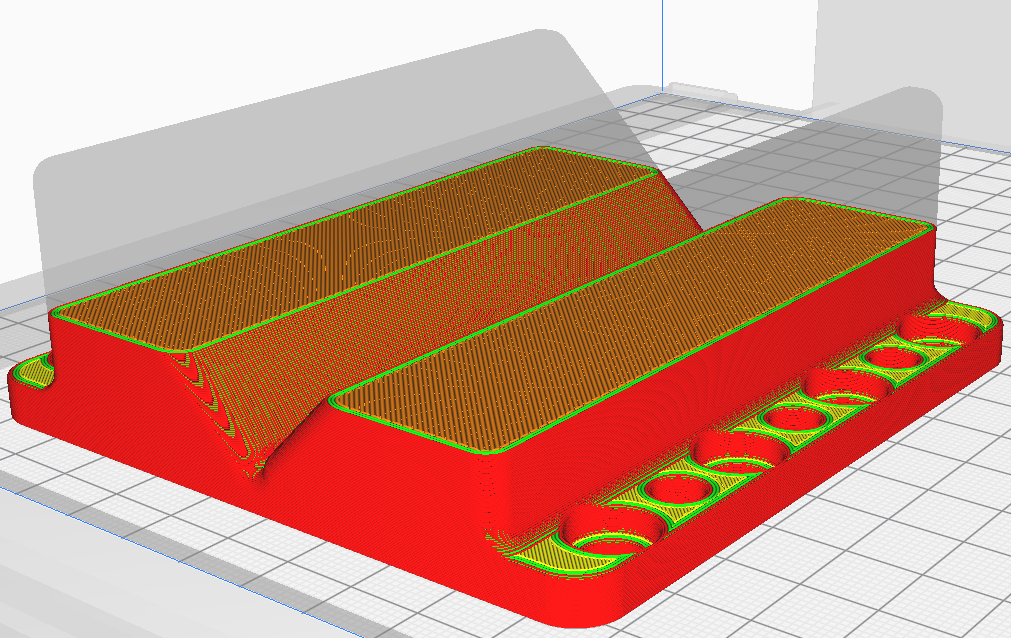
d. Infill rate: This is possible to specify for the process FDM and is a factor that describes how dense the core of the part is printed. The shell of the details are always solid, but by adjusting the density of the inner structure, the amount of material used is adjusted and thus the print time and the price. 100% fill rate means that the core of the part is completely solid, while 0% infill rate means that the part is hollow.
e. Color: Certain processes and materials give you the option of choosing a color, either by the material itself being offered in different colors or by the fact that the details can subsequently be dyed or painted in different colors.
f. Finishing: The different processes have different possibilities for finishing. Among other things, we offer polishing and machining. On the pages for our various processes, this is clear, as well as in our online quotation tool.
g. Additional services/other: Here you can decide if, for example, you want us to install gang inserts or if it is something else you want.

After you have determined the process and materials, you need to specify and perform the following.
a. Number: How many of this particular detail do you want?
b. Priority: In some cases, we can offer express production, which means that the part is manufactured faster.
c. Confirmation: When you confirm the order, the detail will be added to the shopping cart (cart), and you can now continue with the next detail.
If you have more details to order, you can go through step 5 again for the next file and if you need to make adjustments to the specifications of details that you have already added to the cart, that is perfectly fine.
d. Order details: When you have now finally put all the details in the shopping basket, we will move on to the window with invoicing and delivery. Click on "Add order details".
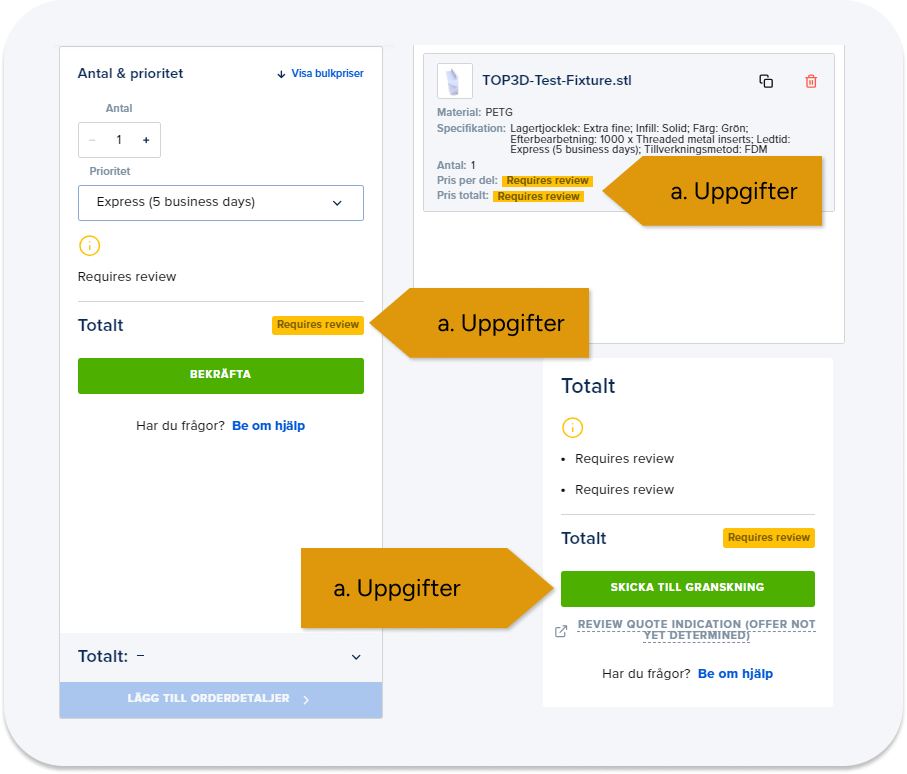
e. Exception review: For large orders with higher amounts and high quantities, we need to review the offer, after which you cannot confirm your order, but instead your order will be sent for review. This is just to ensure that you as a customer get the best possible out of your 3D prints at the right price.
On these occasions, your order overview will say ”Requires review” and ”Send for review”. Once you have submitted the request and we have reviewed it, we will return with a quote via email. Here is an example of what this might look like.

In this window you can check which products you want to order. Here you also have the option to remove details and change the number.
a. Data, You then fill in your details, including delivery information and invoice contact. Here at TOP3D, we are careful to treat your information securely and correctly.
b. If you have a sole proprietorship, you can enter your personal identification number in the field "VAT number."

a. Observe that we have a minimum order value of 2000 SEK. This means that if your order is lower than 2000 SEK, you must increase the amount to this amount to complete your order. You can do this by confirming ”Update order value to 2000 SEK.”
b. When you are satisfied with the content of your order, just confirm the order if you want to place your order. Please note that the order is binding and you will not be able to withdraw it! When you have confirmed the order you will receive an email with confirmation of what has been submitted. We at TOP3D will now review your order before the products go into production. We do this to ensure everything is correct before we start producing your details. When this is done, you will receive another confirmation with the expected delivery date.
Your order is manufactured and sent by express delivery to your door.

Here we answer the most common questions about ordering, price and delivery. Upload your 3D file in the calculator above and you will get a price immediately. If you have questions about materials or construction, our technicians will be happy to help.
Upload your 3D file into the calculator above, select the process and material and get a price instantly. Once you have placed your order, we will manufacture the parts and ship them to you. If you are unsure which choice is right for you, please contact us. material and process selector or contact us.
We primarily accept STEP and STL files. Upload each detail as a separate file, so we can calculate the price and plan production per part.
The price is primarily determined by the volume of the part and the material you choose. Geometry and complexity rarely affect the price much. Quantity, post-processing and delivery time also play a role. Upload the file into the calculator for an exact price.
Yes, the minimum order value is 2,000 SEK excluding VAT and shipping.
Yes, the price per unit usually drops with larger quantities. We manufacture everything from single prototypes to series. Read more about serial production with 3D printing.
Standard delivery takes approximately 3–15 business days depending on process and material. For many materials we also offer express delivery in approximately 1–2 days. Please contact us if you have an urgent project.
It depends on what the part needs to withstand, such as strength, heat, chemicals or surface finish. You can choose for yourself, but we are happy to recommend based on your application. Compare MJF, SLS, SLA, FDM and 3D printing in metal.
We will then contact you with suggestions on what needs to be adjusted in the model to make it manufacturable.
Yes, we can produce the 3D model for you based on drawings, sketches or an existing part. Contact Us and describe your project.
All customer projects are treated confidentially. If necessary, we are happy to sign a non-disclosure agreement (NDA).
Yes, we ship to customers throughout Sweden. Shipping costs depend on size, weight, shipping method and destination.
No, our services are currently only aimed at registered companies.
A CAD program, which stands for "Computer-Aided Design," is an important component when it comes to ordering 3D prints for industrial purposes. CAD programs are specialized software used to create detailed and accurate digital models of objects, components or prototypes. These digital models serve as basic blueprints or designs needed to produce physical objects using 3D printing technology.
.STL (stereolithography) is a file format used to represent 3D geometry, especially surfaces made up of triangles. It is a common format in 3D printing and is used to describe models to be printed in 3D printers.
.STEP (Standard for the Exchange of Product Data) is a standard for exchanging 3D models and product data between different CAD (Computer-Aided Design) programs. It is a common format in industry and is used to transfer detailed 3D models of components and products.